
New features
Your TikTok page now has additional features when configuring a post in the compose box:
- Post up to 200 posts daily
- Customised titles
- Enable comments/duet/stitch
- Disclose commercial content
- Post longer videos, up to 60 minutes
- Add article anchors
Customised titles
Titles are optional for your TikTok image and carousel posts. TikTok video do not have titles. Echobox will set your headline as the article title. TikTok allows up to 90 characters for a title.
Enable comments/duet/stitch
TikTok allows your viewers to interact with your posts using comments, duet and stitch. You can find these settings by selecting the "More" section in the compose box. Echobox enables these by default, and you are free to disable the settings for each post. Duet and stitch are not available for image or carousel posts.
Disclose commercial content
TikTok allows you to disclose if your post promotes yourself or another brand. You can find these settings by selecting the "More" section in the compose box. If you are promoting yourself or your business, this qualifies as "Promotional Content". If you are promoting another brand or a third party, this qualifies as "Paid Partnership". You can select both if they apply.
Post longer videos, up to 60 minutes
You can now upload videos up to 60 minutes long when composing a custom TikTok video post. This length may be subject to change by TikTok's settings on your account.
Add Article Anchors
TikTok’s article anchor feature provides a clickable link in your post that sends viewers to your article in-app. TikTok supports Article anchors only on the mobile app (you won’t be able to view article anchors on your desktop browser).
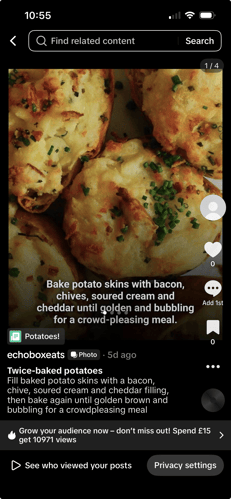
Who can use article anchors?
Article anchors are available only to accounts whose brand account and domain have been approved by TikTok. Echobox doesn't control or influence TikTok's approval decisions. We make this feature available for your account once we've confirmed that TikTok has approved it.
If your account doesn’t have article anchors, the option won’t be available to use.
Using article anchors
Select the "Add article anchor" option on the compose box. A title for the anchor is optional, but users can add a custom title up to 35 characters. If left blank, TikTok will provide a title on your behalf (an example is shared below).

Echobox sets the article anchor URL as the article link by default, but you are free to change it. TikTok only accepts a valid and authorised URL in the following format: https://www.yourdomain.com/page
Your authorised domains are a list of URLs that TikTok has allowed your account to reference in an article anchor. You won't be able to save or schedule your post if you enter an invalid or unauthorised URL.
Do I need to do anything to access these new features?
Yes. You need to reconnect your TikTok page to access the new features.
Navigate to your page settings and select the "Upgrade" option, where you'll be prompted to log into TikTok and authorise the connection.
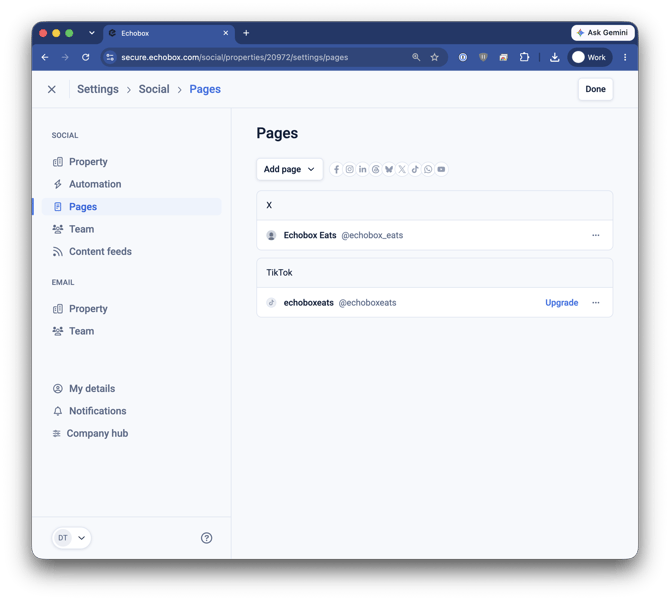
Once successful, you'll see an "Upgraded" tag next to your page.
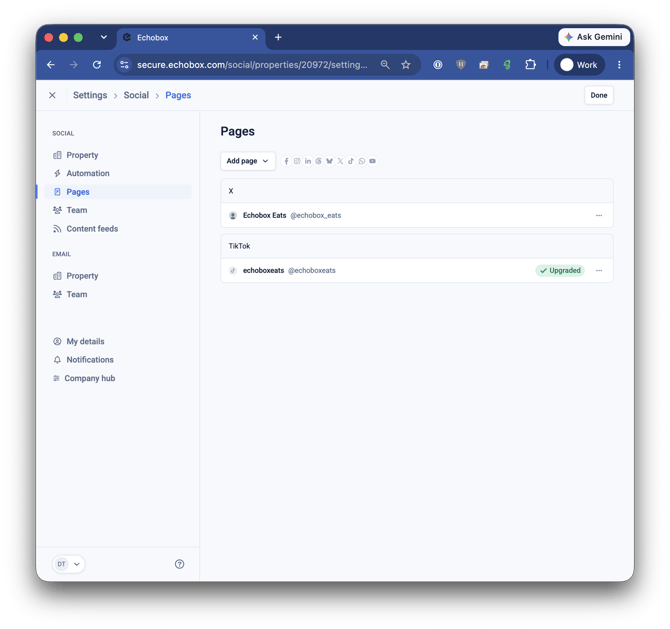
Note - Please ensure you are logged in to the correct TikTok account on your browser before you attempt to upgrade.
What happened to my old connection?
You still have access to the existing functionalities you had with the old connection. Some features relating to analytics are not available on the new connection, so Echobox is supporting both. If your page disconnects from either connection, you may lose access to some functionality. We will notify you if this happens. If you're disconnected from both you will lose all functionality, including the ability to make posts via Echobox.