
Why Migrate to Managed Reconnections
Facebook occasionally disconnects pages from Echobox, which currently requires each of those pages to be reconnected manually by you, which can take time thus leading to failed shares and loss of revenue.
These disconnections can be caused by a number of reasons, such as the user who originally manually connected the page changing their password or Facebook periodically deciding that it will invalidate its access tokens.
Echobox managed reconnections allow for a faster way to reconnect disconnected pages. When a page disconnection is detected, Echobox can automatically reconnect all the disconnected pages instead of needing you to reconnect each of the pages individually, reducing disconnected time and potential loss of revenue.
Requirements
To be able to perform the transition to Echobox-managed reconnections, you must have access to Meta Business Suite (https://business.facebook.com/) and have a business portfolio that contains the pages that you wish for Echobox to handle reconnections for.
You then must, for each and every page that you want Echobox to manage reconnections, assign Echobox as a partner with Full Access to the page.
Step-by-step instructions
It is important that the Page IDs from Step 2 are recorded and passed to Echobox when all pages are added to allow the final steps to be performed by Echobox.
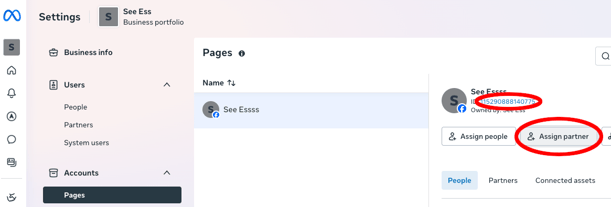
- From the Pages tab (under the client’s Accounts tab), select the desired page.
- Make a note of the Page ID - Echobox will need to be given this to connect the page.
- Select “Assign partner”:
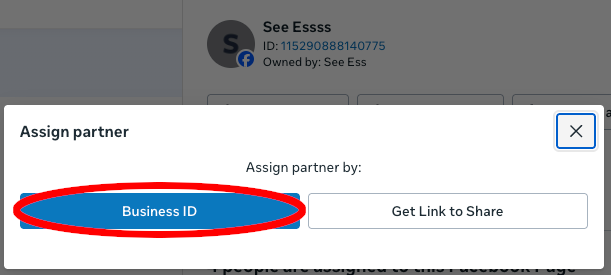
- Select “Business ID” as the method of assigning partner by:
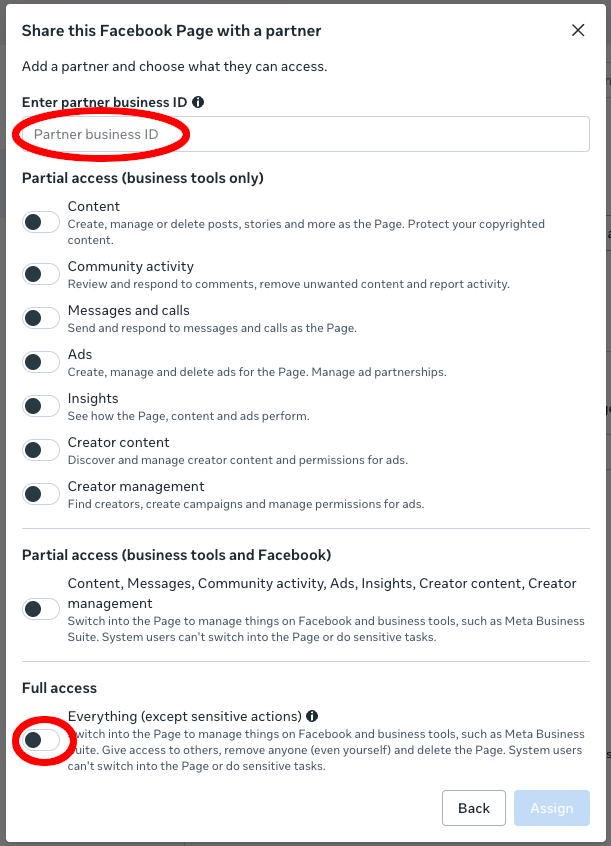
- You should be presented with the “Share this Facebook Page with a partner” page:
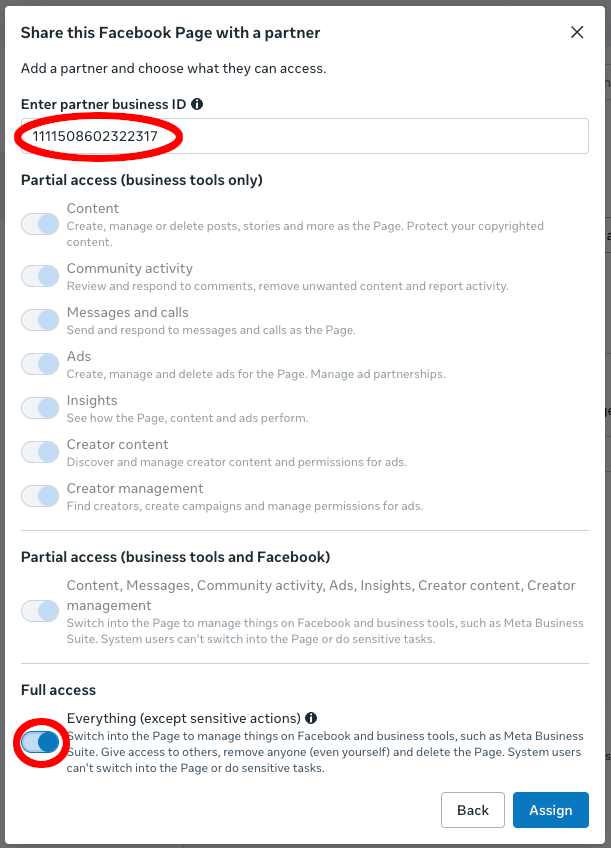
- Enter the Echobox business id (1111508602322317) as the partner business ID, select “Full access” and then “Assign”:
- Successful partner assignment for a page will be greeted with a notification like:
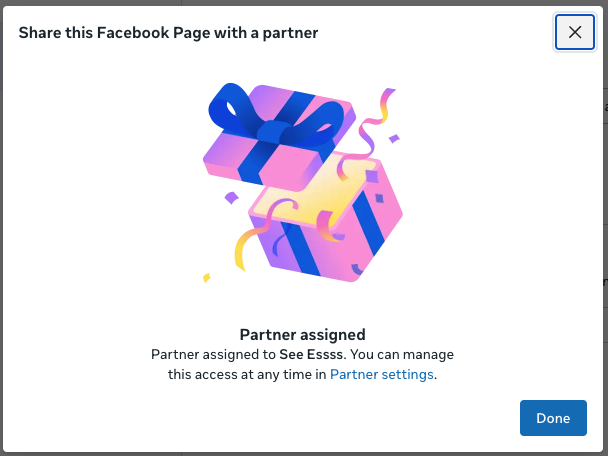
The above steps need to be performed for each and every page.
After these steps are completed, the list of page ids will need to be given to Echobox so that they can complete the last phase of the process to manage page reconnections.