
Overview
You can upload images to Echobox and use them in your newsletter templates. Images are stored within the property and can be accessed via any of your campaigns.
Uploading an image will assign it a public URL so it can be safely displayed within emails sent via Echobox.
How to upload assets
- Click the ‘Assets’ icon in the left-hand navigation bar
- Drag and drop your image, or click ‘+ Add’ to upload it
- Use the search bar to find assets or adjust the size of the tiles using the ‘Size’ dropdown
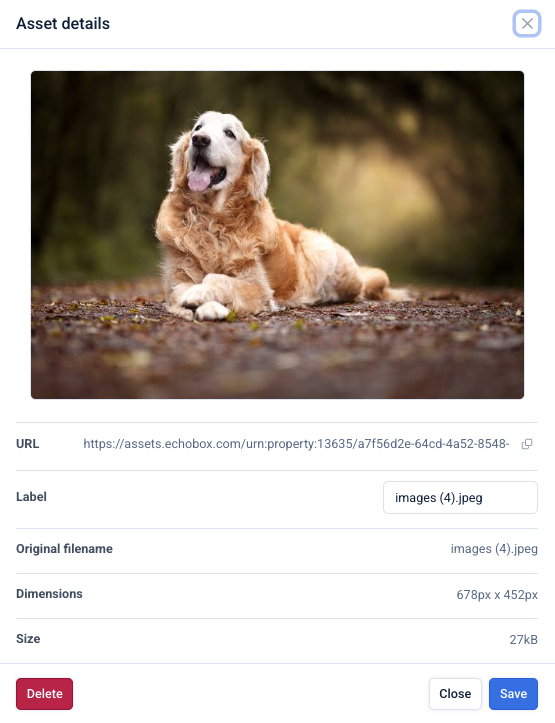
- Click on an image to:
- View image details
- Rename it using the label field
- Delete an image
How to use uploaded images
Navigate to your template by clicking on 'Templates' in the left-hand navigation and find or add an image block.
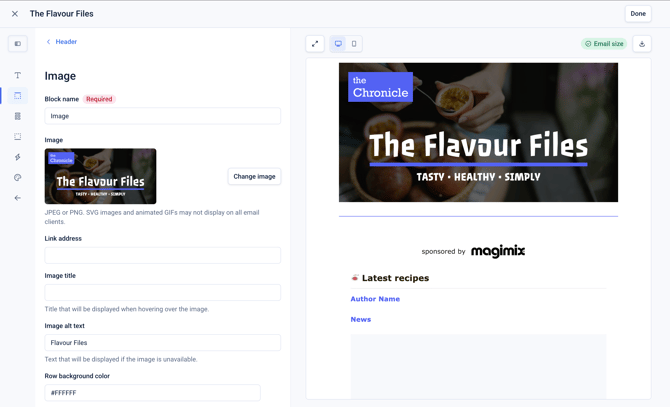
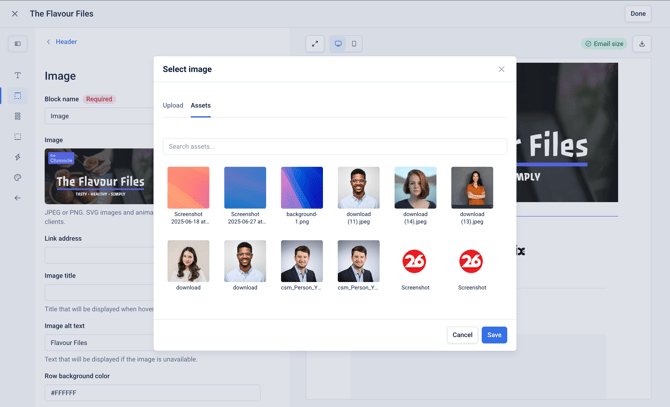
Click on 'Change image'. From here, you either upload a new image, which will be stored in 'Assets', or tab to 'Assets' and browse and select an existing image.
Supported image formats
- Image formats: JPEG, PNG, SVG, WEBP, and GIF
- Maximum file size: 1GB
- Limits: No limit on the number of uploads
Note: videos are not currently supported.