
What is a confirmation email?
A confirmation email refers to an email sent immediately to a new subscriber after they sign-up to a newsletter campaign. Custom confirmation emails give you full design flexibility over this first touchpoint with new subscribers.
There are two variants:
- Confirmation email - sent when double-opt in is disabled
- Verification email - sent when double-opt in is enabled
See this article for how to configure a custom verification email.
How do I design a confirmation email?
1. To design your confirmation email navigate to 'Templates', select 'Notifications' and click 'New'.
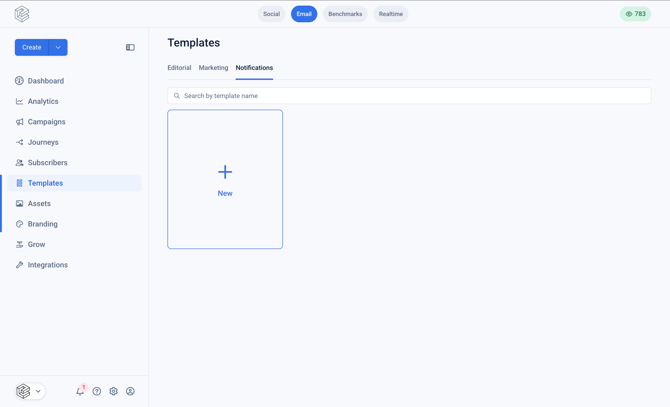
2. Provide a name for your template
3. Design your template in the template editor
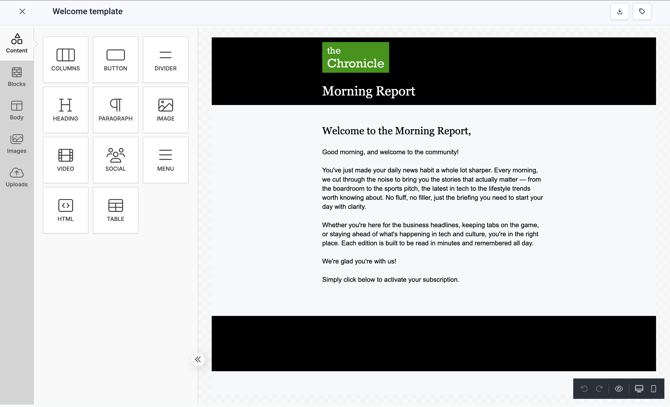
How do I configure a custom confirmation email?
1. Navigate to 'Grow' the left side bar and select 'Sign up forms'
2. Select the campaign for which you wish to configure the custom confirmation email
3. Click on 'Follow-ups'
4. Click on 'Confirmation'
The default confirmation email will be displayed
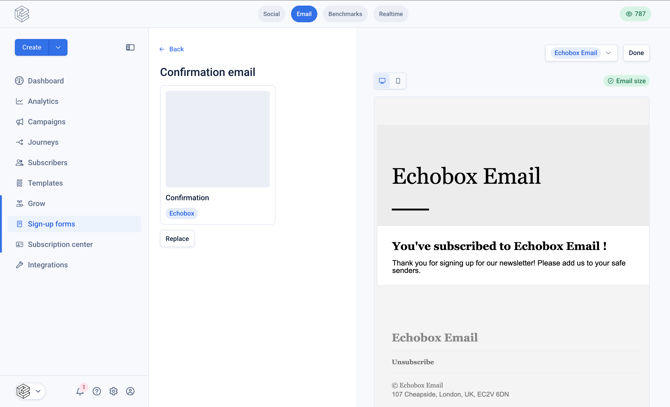
5. Click 'Replace'
6. Select your custom email from the 'Choose a template' modal, and then click 'Done'
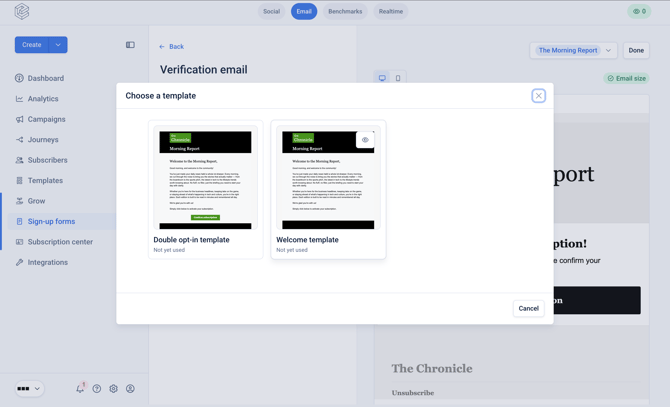
You have now successfully set up your custom confirmation email. Do note that any changes made to the template will be reflected immediately in the email sent to new subscribers.