
Overview
Echobox provides sign-up forms that you can use to register new subscribers to your newsletter campaigns.
Alternatively, you can use a self-managed form or our API, for more details on either option please see:
- Subscribing subscribers via a self-managed form
- Operating on subscriber data
Sign-up forms can be configured per campaign or you can create a multi-campaign sign-up form for numerous campaigns within the property.
Where can I find the sign-up forms?
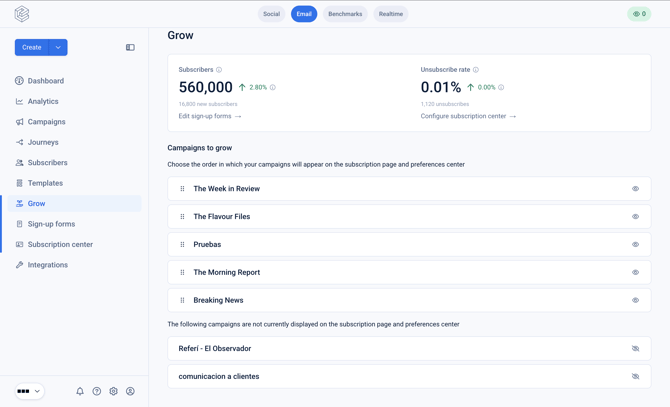
Navigate to the 'Grow' section of the left hand navigation menu.
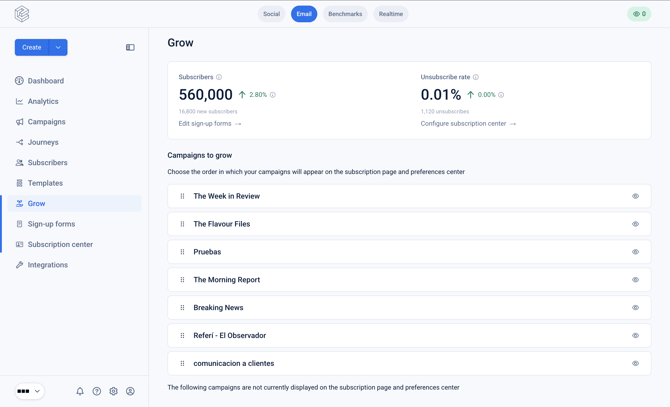
This screen will display some subscriber metrics such as the total subscriber count and unsubscribe rate.
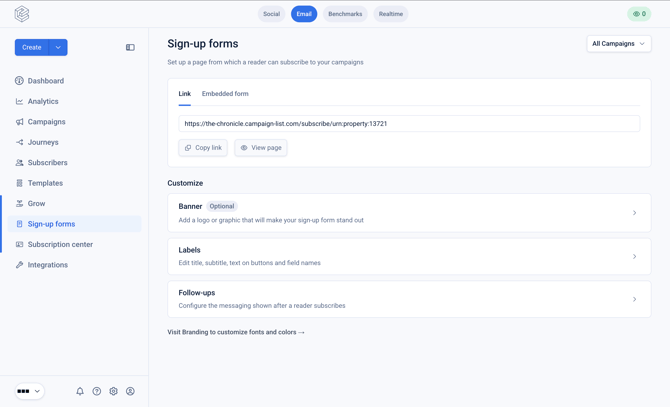
Then click on 'Sign-up forms'.
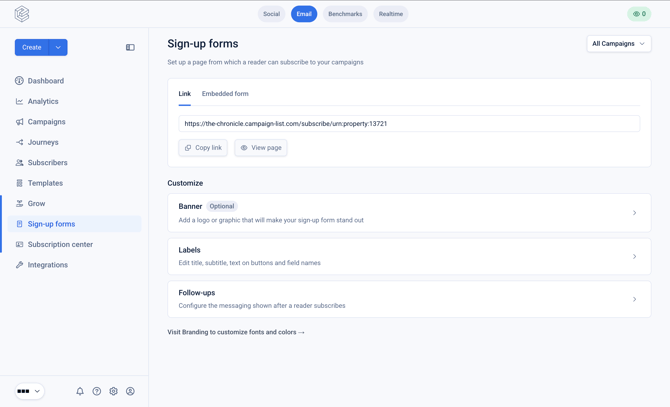
On this page you will be able to see the link to the property-level subscriber form. Alternatively, you can toggle 'All Campaigns' to select a specific Campaign.
How to configure a multi-campaign sign-up form
Ensure the toggle in the top right is set to 'All campaigns'.
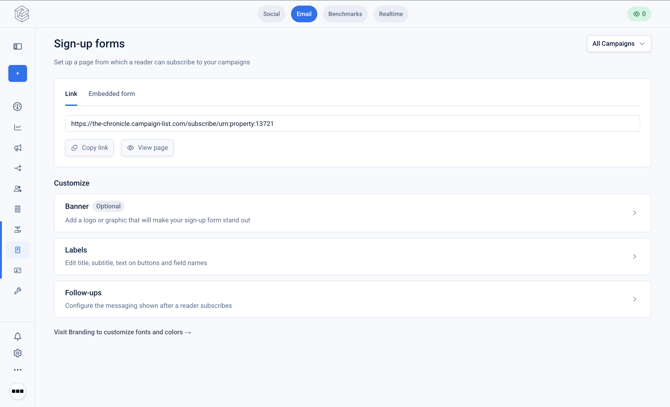
Banner
Within the 'Banner' page you can configure the Banner image that will be used on your multi-campaign sign up form.
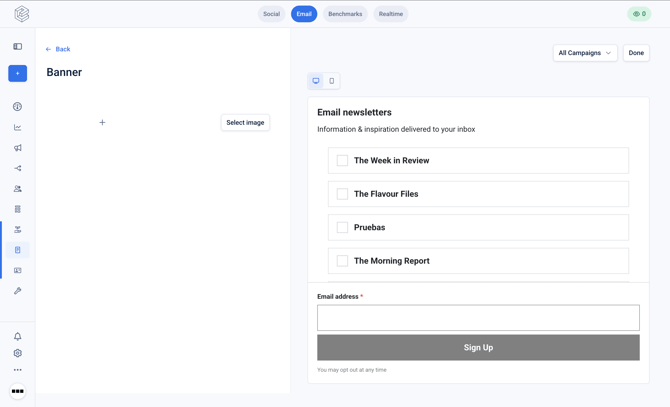
On the right hand side, you can see the preview of the sign-up form.
Labels
Within the 'Labels' screen you can configure the text that will be displayed on your multi-campaign sign-up form.
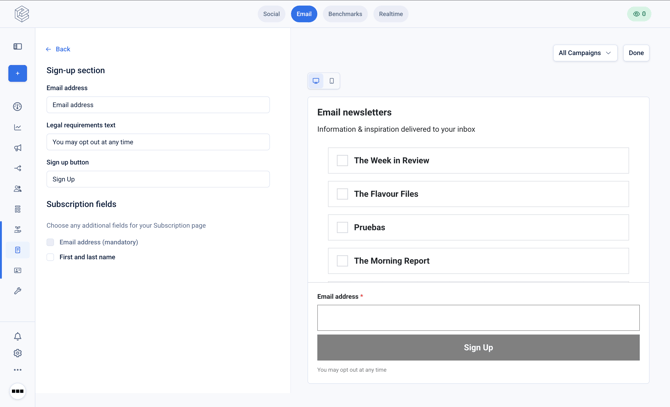
At the bottom of the configuration options on the left-hand side, you can enable the capture of first and last name as optional fields.
Follow-ups
The 'Follow-ups' section allows you to configure the confirmation title, confirmation body, and redirect URL for the page after the subscriber has signed-up.
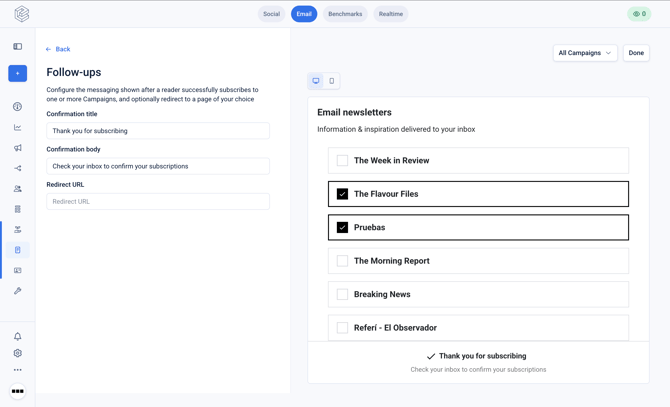
Depending on the settings for each Campaign present on the form, 'Verification' or 'Confirmation' emails will be sent to the subscriber.
For more details on how to configure these settings see:
How to hide campaigns from the multi-campaign sign-up form?
If you have draft Campaigns, or Campaigns that are not yet ready to launch you can disable them and reorder them from the main 'Grow' page by toggling the 'eye' icon for the Campaign, and dragging to reorder the campaigns.
How can I change the form styling?
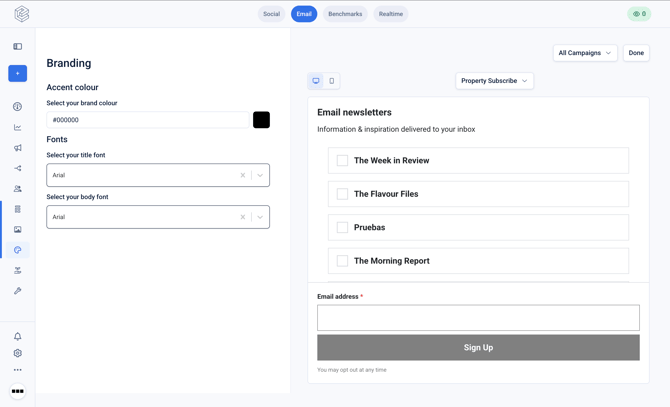
From the 'Sign-up forms' section within 'Grow' in the left hand nav click on 'Visit branding to customize fonts and colors'.
From this page you can select the brand colour and fonts for your sign-up form.
Should I use a Link or Embedded form?
Choose based on where you want the sign-up experience to happen:
- Use a Link if you want users to leave your current page and land on a dedicated sign-up page. This is the simplest option — just point users at the URL, whether in an email, a button, or a text link.
- Use an Embedded Form if you want the sign-up box to appear directly within a page on your own site (e.g. your homepage or a landing page), rather than sending users elsewhere. This uses an iFrame, which renders the form inline while keeping users on your page.