
Overview
The article layout menu allows you to change the layout for each article section in your newsletter. There are 6 layouts to choose from:
- All Hero
- Dual column
- HTML form RSS feed
- Image Right
- Image Left
- List
You can find the layout menu by clicking on an article block and then expanding the 'Article layout' menu within 'Section styling'.
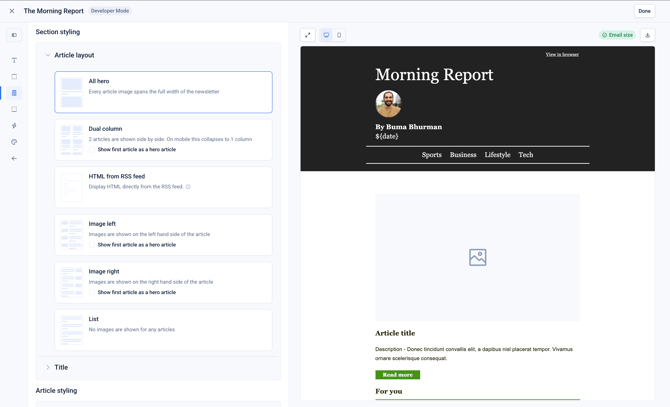
Click ‘Save’ to reload the preview with the new article layout.