
What are Notification templates?
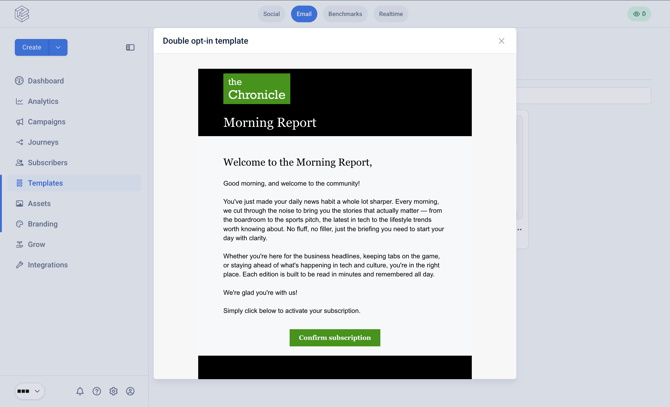
A notification email refers to an email sent immediately to a new subscriber after they sign-up to a newsletter campaign. The Notification templates give you full design flexibility over this first touchpoint with new subscribers.
There are two variants:
- Confirmation email - sent when double-opt in is disabled
- Verification email - sent when double-opt in is enabled
Where do I find Notification templates?
Navigate to 'Templates' in the left hand navigation and tab to 'Notifications'.
How do I configure Notification templates?
See this guide to understand how to use the template editor for Notification templates: https://help.echobox.com/how-to-use-the-marketing-template-editor
How do I set up the verification email?
See this guide for how to configure and set up the verification email: https://help.echobox.com/how-to-create-a-custom-verification-email
How do I set up the confirmation email?
See this guide for how to configure and set up the confirmation email: https://help.echobox.com/how-to-create-a-custom-confirmation-email